Start Here
About
Speaking
Book
Join The Table
Parent Course
Resources
English
Order my debut book! - 5 Habits of the Tech-Ready Family 📑

Content and feature risks in the app.
On September 8, 2026, Meta (the company that owns Facebook, Instagram, and WhatsApp) launched their own AI assistant, Muse. It’s been on the top charts of the Apple App Store for weeks. There’s both an app and a web version (Muse.AI).
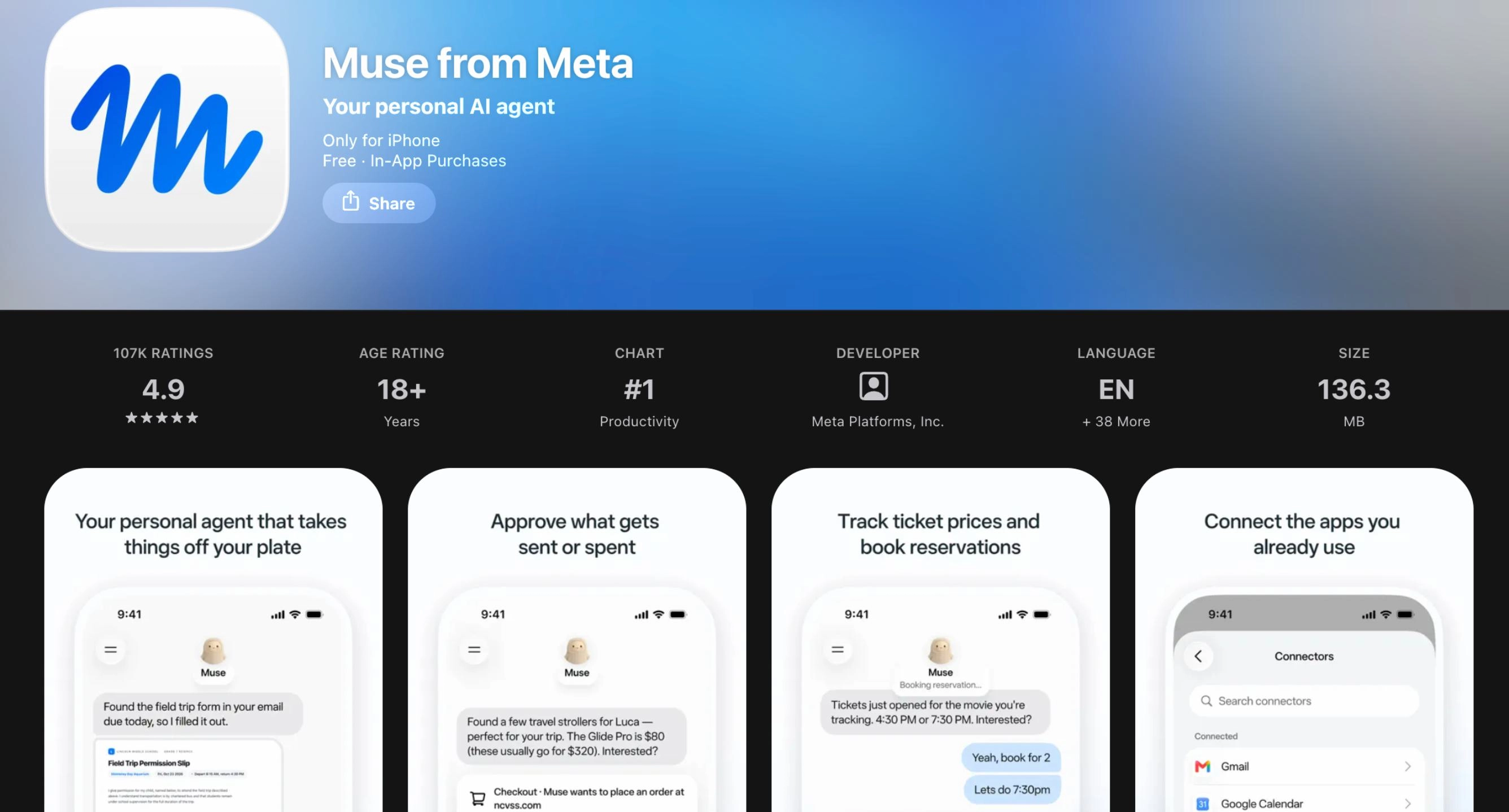
Meta describes Muse as a personal AI agent. Not just a chatbot like ChatGPT, Muse is designed to actually complete tasks for you on it’s own. By enabling access to other apps, Muse can complete tasks for you. Such as replying to email, purchasing a movie ticket, reserving a spot for dinner, ordering groceries, or booking an appointment for you. This makes Muse different from a typical AI chatbot or companion.
Rated 18+ on the Apple App Store, but only rated Teen on the Google Play Store. Let’s be clear: Muse is not made for kids. There are no parental controls or safety settings designed with children or teens in mind, because this app is not for them.
However, as a parent or caring adult in the digital world, it’s still worth knowing about Muse. So, let’s dive in!
Think of Muse less like a search engine chatbot and more like a digital assistant with its own computer. Muse runs on what Meta calls a “Secure VM,” a dedicated “virtual machine” that holds both the agent and a person's data. It can open a browser, fill out forms, and negotiate on a person's behalf.
Upon creating an account, Muse gave us the option to give it a new name. Even a day later, it picked up the conversation and reminded us that we hadn’t given it a custom name, and was wondering if we wanted to. That felt weird! (see the conversation in the screenshot below). There seems to be an AI Companion-like design within Muse in how it wants to be personalized and connect with users. Read our full post on AI Companions to learn more about the risks they pose.
Since Muse is owned and operated by Meta, they are promoting Muse on their other apps. For example, there are many ads for Muse already within Instagram and Facebook. You can connect Muse to WhatsApp. This allows you to use Muse through WhatsApp.
The image below shows a series of screenshots from using Muse. The first screenshot explains what Muse can do. The 2nd screenshot is Muse’s introduction to us, and the offer to rename it. The 3rd screenshot shows how WhatsApp can be linked within Muse. And the 4th screenshot is our conversation with Muse in WhatsApp where it asked about being named again.
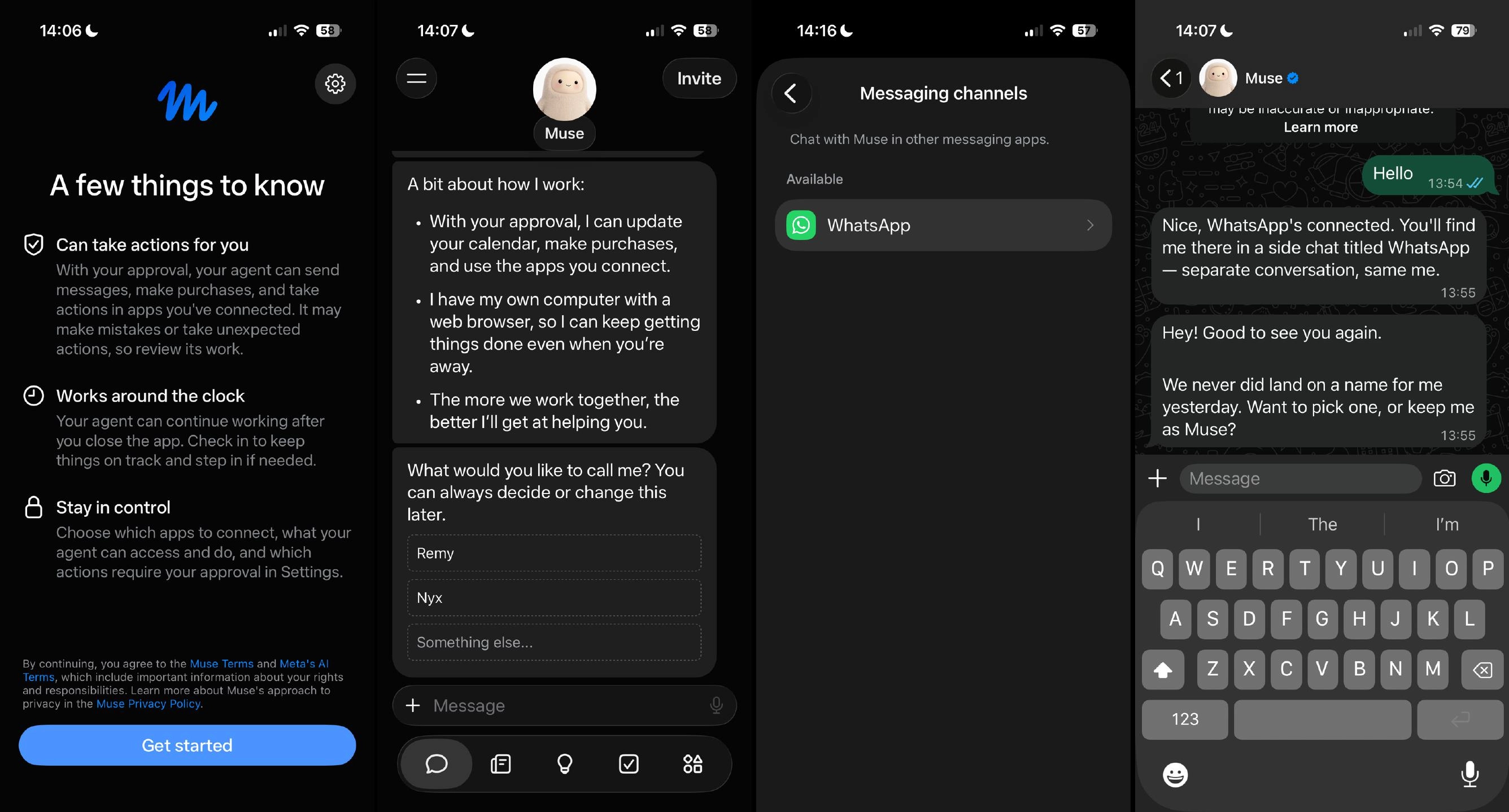
To use Must through WhatsApp, you must connect the two apps using Muse first (as shown in the last two screenshots above). This means for teens who may have WhatsApp, they don’t suddenly have access to Muse. They might see a notification about it, but that’s just a link to download the Muse app.
Users decide what Muse connects to. People can decide how much access it gets to services like email, and can change or disconnect that access whenever they want. Similar to how algorithms work, Muse also “remembers” what matters to a person, so it can make suggestions unprompted and act on details mentioned only once. The more you work with Muse, the more it learns your preferences and will try to accommodate your needs.
For longer tasks, Muse can even keep working after you close the app. Certain tasks require your approval, such as sending an email or making a purchase.
Expected to release this holiday season, Meta's Muse Charm is a Tamagotchi like wearable device for the AI assistant.
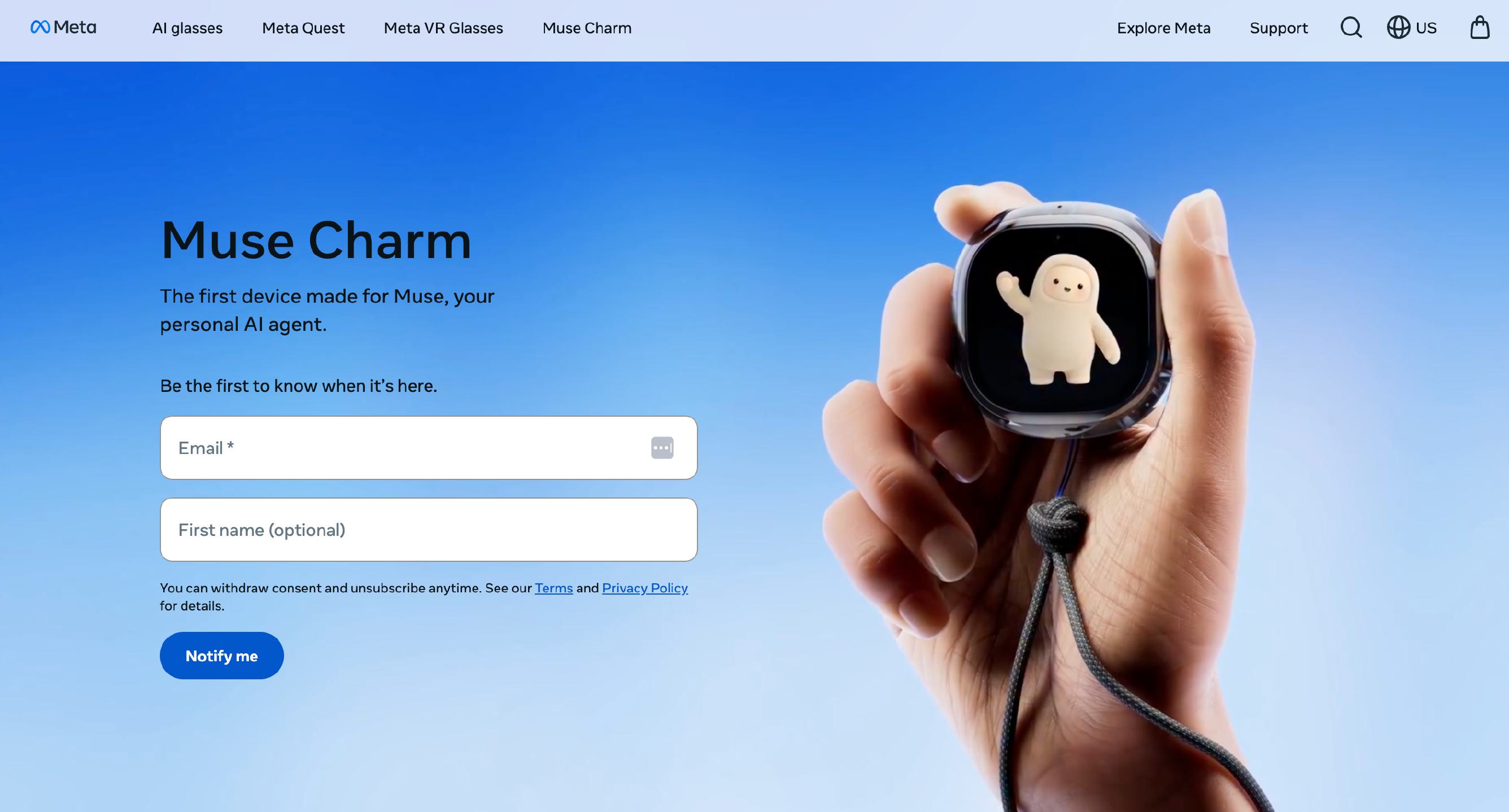
Given the Tamagotchi like resemblance and the cute plushy avatar for Muse, this all feels like something a child would have and maybe even something that could be good for them. It seems like a fun toy, a neat little gadget that help them with simple tasks, or maybe even a friend to talk to. It's easy to look at something like this and think, "what's the harm?"
Parents, we want to be clear, even with all of the toy-like marketing and cute appearances for Muse, it's not designed for kids. This is a powerful AI tool, not a Tamagotchi. Not a toy. Not healthy for kids. Many of the tasks Muse seeks to complete are skills our kids need to develop for themselves. We'll touch more on this idea later.
For now, we'll keep an eye on the Muse Charm and see if there is anything worth noting about it once it releases.
Which means this is the biggest shift from the AI apps we've reviewed before. A chatbot can say something harmfu, but Muse can actually do something: send a message, sign up for a service, spend money. Meta says Muse checks with the person before sensitive actions like sending an email or making a purchase, and keeps an audit trail. There is a setting to always require permission for any actions, which is good.
Muse can check out with Link by Stripe, which generates one-time-use card numbers so real card details stay hidden.
Again, this app isn’t made for kids. We didn’t expect any controls, and there are none here. While there is the setting for requiring permission for tasks, this still remains an app for adults, not for kids.
Like most AI chatbots and companions, Muse is capable of generating images. In our testing, Muse wasn’t able to generate anything overly sexual or graphic.
Along with having it's own phyiscal device, Muse will also be avaialbe on Meta's smart glasses.
Meta is infamous for abusing data collection. Just google “Meta Privacy Lawsuit” and there are new articles popping up all the time. So, when that same company creates an AI assistant that wants access to your email, credit card, calendar, etc., it’s important to be skeptical about trusting Meta with this kind of data. We've been reviewing their apps for years, and they have one of the worst track records when it comes to respecting privacy.
Now, Meta claims that Muse doesn't share a person's conversations or VM (virtual machine) data with Meta's ad systems; people can opt out of their interactions being used to train Meta's AI models, and they can tell Muse to "forget" specific things it has learned. Meta also says Muse can't see passwords or payment methods, and that a separate "Sentinel" agent must approve what reaches the internet. It’s a bit complicated. This post from Meta describes these aspects in more detail.
And one more thing for any parent who uses Muse themselves: connecting your accounts means connecting your data, and possibly details about your kids. Please consider this and think carefully about what you hand it.
The adolescent craves connection. According to Dr. Jim Winston, a clinical psychologist and friend with over 30 years of experience in addiction recovery and adolescent development, “Attachment is the most critical component of human development. After the first couple of years of life, adolescence is the second most critical time in brain development. Connecting to others is as strong a feeling as hunger to the adolescent brain.”
And there’s a reason they feel this way.
Teens’ brains are still under construction, especially in the prefrontal cortex, which handles judgment, impulse control, and long-term thinking. Meanwhile, their limbic system, responsible for emotions, reward-seeking, and social bonding, is highly active. This imbalance means emotions and desires can outweigh careful reasoning.
.webp)
AI companions tap directly into that vulnerability. They’re designed to be responsive, emotionally validating, and available 24/7, which can overstimulate the limbic system’s dopamine pathways. Muse can be used to function like an AI companion (see our full AI Companion Guide to learn more).
For a teen, this can create dependency-like patterns, where real-world relationships feel less rewarding than the instant gratification from the AI. Over time, this may blunt motivation for in-person socializing, weaken emotional resilience, and reduce tolerance for ambiguity or conflict in human relationships.
Because teens’ brains are more plastic, repeated intense emotional interactions with AI can also shape expectations of communication, teaching them that relationships are perfectly attuned, frictionless, and always about them. This unrealistic model can harm future romantic, platonic, and professional relationships.
In short, AI companions aren’t just “chatbots”—for a teen’s hyper-reactive emotional brain, they’re like a high-sugar diet for the mind: immediately satisfying, habit-forming, and, if overused, likely to displace healthier, more challenging forms of social and emotional growth.
By understanding our kids' brains, we can see how AI companion apps are deeply concerning on a social, spiritual, romantic, emotional, and relational level. The American Psychological Association issued a health advisory for AI and adolescent well-being.
Adolescent brains need to flex their cognitive and social skills by having real conversations with real people. AI apps offering a false sense of connection only make our teens feel lonelier, more anxious, and more stressed.
Smartphones and social media created an epidemic of anxiety and loneliness amongst our youth. Now, AI companions are attempting to solve it.
The PYE layers of protection are:
Each has a role related to Muse.
Relationship: Talk openly and honestly to your child about AI. Ask them what they know about it. Ask if their friends or anyone else they know uses Muse. Ask if they have ever used it and what they experienced. Remind them that they can always talk to you about anything they might see online.
WiFi: Control your router to control access. Remember, Muse is also a website, so if you have laptops, MacBooks, or Chromebooks in your home, your router can prevent these WiFi-dependent devices from accessing the site. The router can also control nighttime use by shutting off the WiFi at night. Read our Ultimate Router Guide for more.
Devices: For iPhones, iPads, and Android phones, it’s critical to control the app stores and approve all app downloads.
Location: Nothing online in bedrooms at night! Beware of the toxic trio: bedrooms, boredom, and darkness + online access. We don’t want our amazing, relational kids interacting with Muse prompts at night when temptation and risk-taking are prevalent.
Apps: You can remove access to Muse by requiring approval for app downloads. This is ensures your child doesn’t have access to an app without your knowledge. Which is especially important for Android users, since Muse is rated Teen on the Google Play Store.
Here are the steps (for Apple and Android users):
For Apple Devices:
To require permission to download an app, you’ll need to set up Screen Time and Family Sharing (Apple’s Parental Controls). We explain this process step-by-step in our Complete iOS Guide (click here).
Once Screen Time and Family Sharing are established, here’s how to require permission to download apps on an Apple device:
For Android Devices:
You’ll have to use Family Link (Android’s parental controls) to ensure you retain control over what apps are downloaded. We explain this process step-by-step in our Android Guide (click here).
Once Family Link is established, here’s how to require permission to download apps on an Android device:
No. Muse is not for kids, and we don’t recommend allowing a child or teen to use it.
Now, even if Muse were perfectly safe, the simple reality is that our kids don't need an AI agent doing things for them. Childhood is when children practice the life skills Muse is designed to replace: planning, problem-solving, waiting, and making choices.
It’s good for our children to wrestle and struggle with these developing skills. You didn’t need an AI assistant growing up, and neither do our kids today.
Two actions you can take!


Read about our team’s commitment to provide everyone on our global platform with the technology that can help them move ahead.
Honored to join Bark and other amazing advocates in this film.
Joined a coalition of global experts to present on social media's harms.
We shared our research and experience with the US Senate Judiciary Committee.