

Start Here
About
Speaking
Book
Join The Table
Parent Course
Resources
English
Order my debut book! - 5 Habits of the Tech-Ready Family 📑

Content and feature risks in the app.
Many wonder if Saturn is safe, or if there are still security and privacy concerns. When the app first launched, Protect Young Eyes caught the attention of news agencies around the country (here, here, and here, as examples) with our identification of significant student privacy and safety gaps. Although Saturn has addressed some of our concerns, we have identified additional items for parents to consider.
A scheduling app intended to keep students (High School - College) organized and connected with classmates. You create an account, find your school, link your schedule, and it helps you stay on track with your classes, assignments, group projects, and more.
They’ve already begun their marketing campaign this semester by sending users texts, encouraging them to check their friends’ schedules, add their own classes, and share their class schedules:
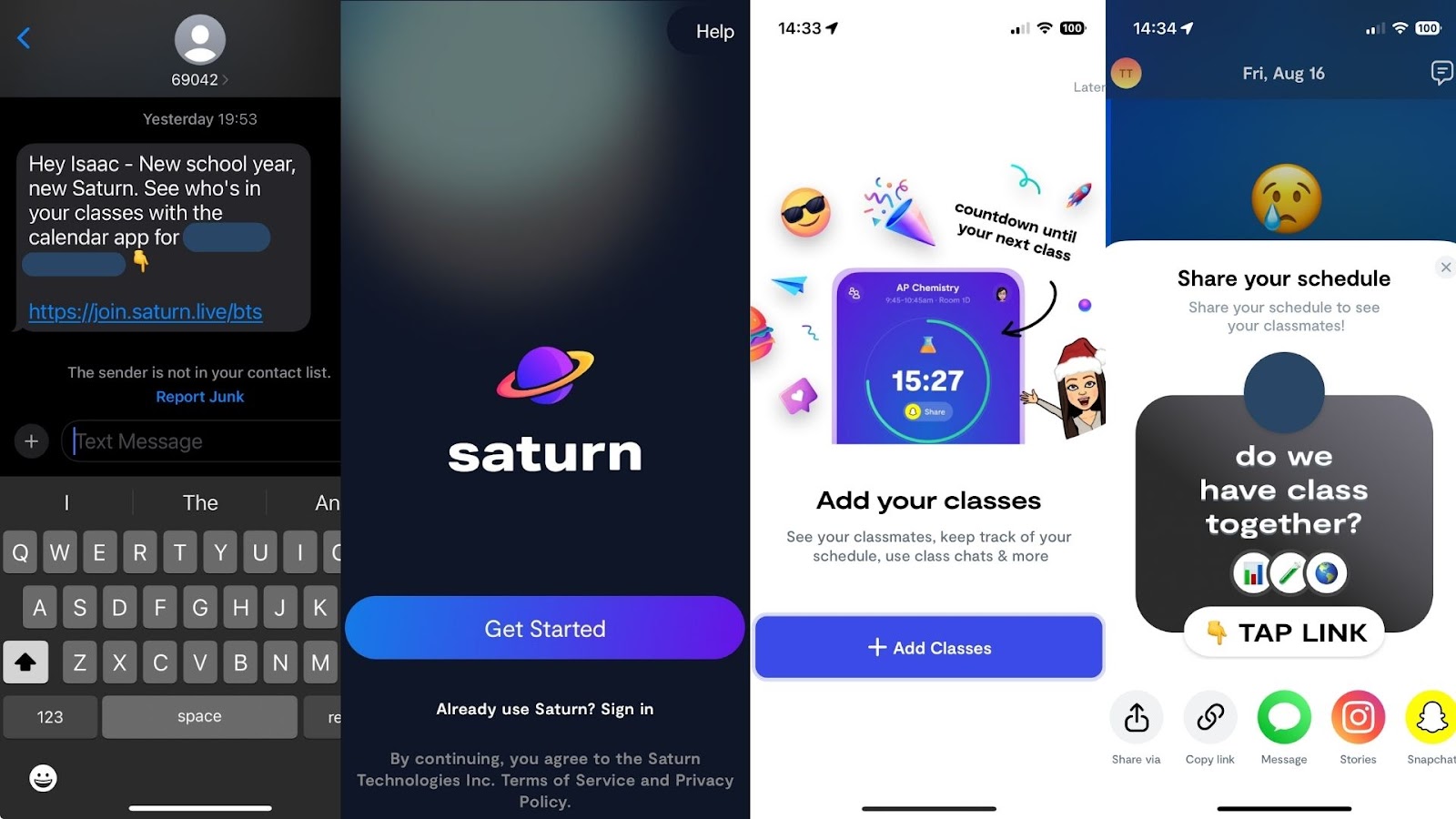
To create an account, you must enter your name and birthdate (they prohibit birthdays younger than age 13 but there’s no verification). Next, you enter your phone number and verify the security code texted to your device. After this, you’re asked to send an invitation to 3 of your contacts to join Saturn, which can be bypassed. Next, you can choose to share your location (we suggest tapping “Don’t Allow”). However, like a lot of apps, Saturn can still use your IP address to infer general location, For example, even after hitting “Don’t Allow” it still knew that Isaac (who made the test account) was in Florida (see below).
The final step to setting up your account is finding your school and verifying your account. You can do this by signing into your school email or scanning your school ID. (Note that Saturn will only list schools where 20 or more students have requested for their school to be on the app)

If you are unverified, you can still see profile pictures, first names, and grades. Saturn doesn’t consider this “personal information,” but we told the Company we disagree. Without verification, students can’t use chat, class lists, and directories. This was changed after our harsh, but truthful review when the app first launched.
Yes, but Saturn is much safer than it was in 2023. Using our new account, we couldn't even get into a school without first being verified. This made our new account rather useless, which is great!
But, we still don’t like so much precise information about where students are throughout the day to be known by so many other students. Could that information be misused by other kids?
Once your account is verified, Saturn has tabs on the bottom that help you navigate your class schedule, while staying in touch with classmates and events at your school. At first, it looks like a scheduling app, but with groups, friends, and DMs, Saturn does have some social media-like attributes.
The most common feature is sharing your specific school schedule with your friends, and this is where we have a concern, which was shared with us by a school administrator.
When students receive a message from a friend asking them to join their school at Saturn which includes a school logo, we were told that students believe this is something “official” from the school that they “must” do. We don’t know how to solve this, other than to ensure your child knows to never tap on any link received from someone else, even if it’s from a friend, without first asking permission.
Yes, but thankfully, we couldn’t DM any students without verifying a school email or ID. On our new account, we couldn't even invite others to be our friends, because we couldn't see any other users without being verified.
Something else to note, when tapping on profiles, Saturn gave us a warning if the account wasn’t verified (see first image). This is good, but leads us to believe that there are other unverified accounts with partial access to a school. While none of Saturn’s features are accessible to these accounts, they can still see the first names, grades, and profile pictures of students attending that school (like in our video from earlier).
This is a problem and needs to be fixed.
Saturn allows integration with Snapchat by linking accounts, which allows users to:
Additionally, Saturn allows students to link their other social media accounts, including TikTok, Instagram, and Venmo. As well as a space for any generic website link. Anything that takes users to another app or website has risks. But considering all of these users will now have to be verified, it's still a massive improvement from how it was originally. Snapchat is the only social media app that has direct integration, the others are just shared via links in the Saturn profile.
Saturn added College Campuses to their app. The college experience on Saturn is completely gated from the high school experience on Saturn. If someone is a user on Saturn associated with a college, they cannot see any information about any high school on Saturn. But it’s worthwhile for parents to know about this change.
Regardless of the app, three actions mitigate the risks we’ve shared. We teach these actions in our parent presentations:
We explain each of them briefly below. If you’ve already set up approvals for downloads and have used the app, please skip to the In-App Controls & Settings.
You can control app stores by requiring permission for apps to be downloaded. This is ensures your child doesn’t have access to an app without your knowledge. Here are the steps (for Apple and Android users):
For Apple Devices:
To require permission to download an app, you’ll need to set up Screen Time and Family Sharing (Apple’s Parental Controls). We explain this process step-by-step in our Complete iOS Guide (click here).
Once Screen Time and Family Sharing are established, here’s how to require permission to download apps on an Apple device:
For Android Devices:
You’ll have to use Family Link (Android’s parental controls) to ensure you retain control over what apps are downloaded. We explain this process step-by-step in our Android Guide (click here).
Once Family Link is established, here’s how to require permission to download apps on an Android device:
This is our tried-and-true method of determining whether a specific app is safe for your specific child.
Before you let your child use it, download the app and use it for 7 days.
Create an account with your child’s age and gender and use it for 7 days. Play through a few levels, review the ads, see if anyone can chat with you, and poke around like a curious child.
After a week, ask yourself, “Do I want my child to experience what I did?” Even if you decide to allow them to download the app, now you have a basis for curious conversations about the app when you check in.
Does Saturn have Parental Controls?
The answer is still no. Yes, there have been improvements, but there’s nothing parents can monitor from their device or lock-in. If your child is using Saturn, please make their schedule private. Here's how:

The app is safer than it was when we wrote our initial review and we appreciate the changes they’ve made. We shared our concerns and they listened to many of them. There are just a few areas where additional changes could help.
Their updated privacy policy still contains the same language around data use. Essentially, if you put it in Saturn, they can see it: "We have access to whatever information you send through Saturn, such as notes on homework assignments and messages to your classmates; and posts you include on Bulletin."
Two actions you can take!



Read about our team’s commitment to provide everyone on our global platform with the technology that can help them move ahead.
Honored to join Bark and other amazing advocates in this film.
Joined a coalition of global experts to present on social media's harms.
We shared our research and experience with the US Senate Judiciary Committee.



