Empieza aquí
Acerca de
Hablando
Contáctenos
Únete a la mesa
Curso para padres
Recursos
Spanish
Order my debut book! - 5 Habits of the Tech-Ready Family 📑



Lorem ipsum door met, consectetuer adipiscing elite.
Kalshi is a “prediction market” app. Instead of placing a bet, users buy and sell “event contracts” on whether something will happen: who wins Sunday’s game, what the Fed does with interest rates, who wins an election. Kalshi calls itself a federally regulated financial exchange. Many of us would call it something simpler: gambling in a financial costume.
A large majority of Kalshi’s activity now comes from sports contracts. That tells you who the product is really built for.
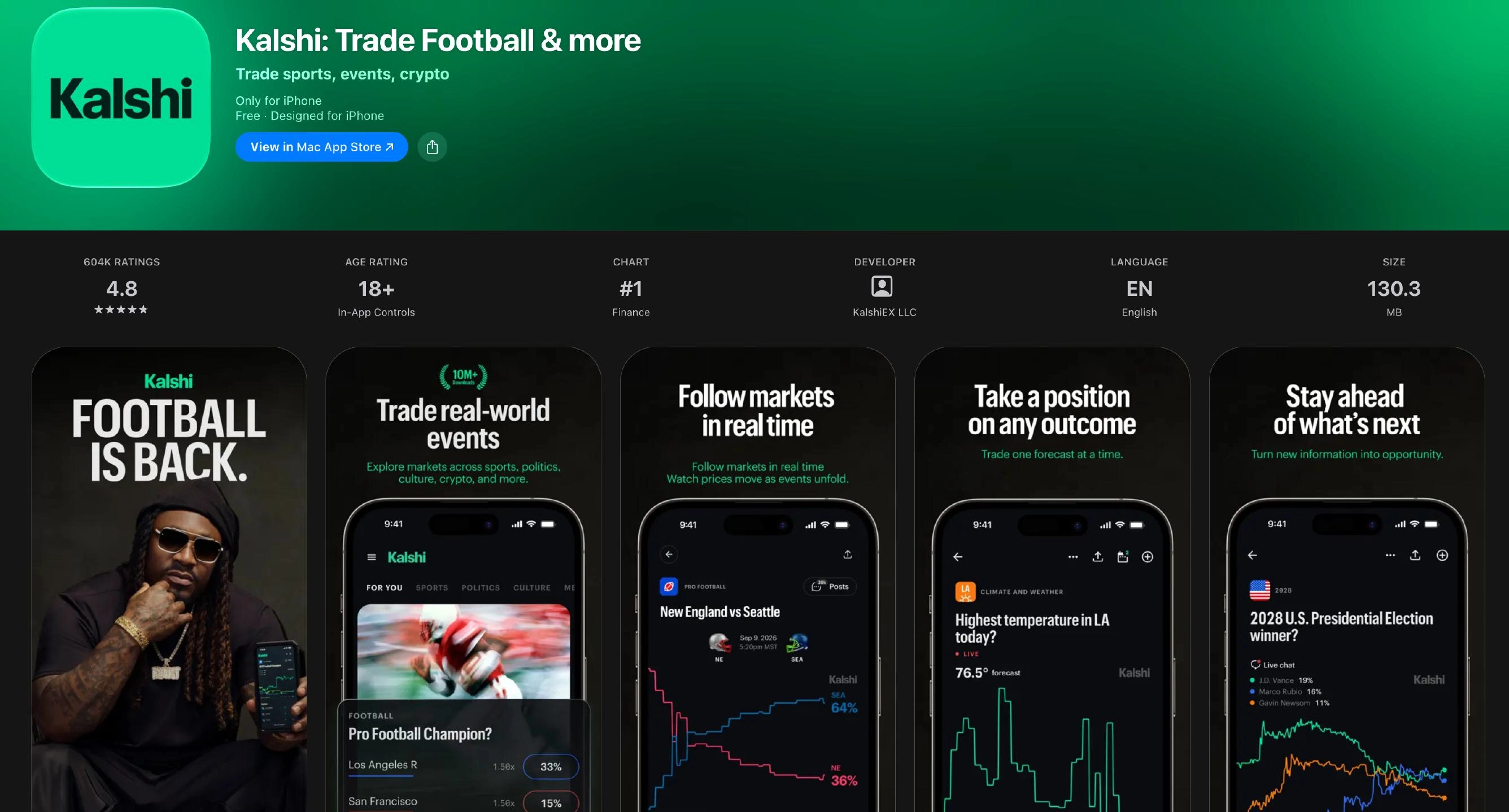
You pick a question (“Will Team A win?”), and the app shows a price that reflects the crowd’s odds. You buy “yes” or “no,” and if you’re right, you get paid. If you’re wrong, you lose what you put in. Contracts can be cheap, which makes jumping in feel low-stakes. Fast-moving sports markets also make it easy to keep trading all game long.
Here’s the part that should get our attention as parents. Kalshi users between 18 and 21 traded an estimated $5.4 billion this year, and $3.9 billion of that was in sports-related contracts. Kalshi says that age group is a small slice of its total volume, but the NCAA, NFL, NBA, and PGA Tour have urged regulators to raise the minimum age to 21. When the sports leagues themselves are worried, we should probably listen too.
Kalshi accepts users at 18, while state minimum age for sportsbooks is 21. That means a high school senior can legally do what a sportsbook would refuse.
Kalshi has acknowledged that motivated minors try to get around ID checks by using a parent’s or older sibling’s identification. The company has added facial recognition and tools for adults to check if their identity is being used for another account, which is a good sign. But it’s an admission that kids are finding a way. A Massachusetts attorney general filing even alleged that Kalshi markets to, and facilitates use by, people under 18.
Kalshi has put famous faces in front of the exact audience we’re trying to protect:
When a kid sees their favorite athlete or actor casually using an app, the message is “this is normal, this is fun, this is safe.” Marketing like this works on the developing brain.
Parents, imagine you're back in high school, and your favorite actor, artist, or athlete - the one you look up to, your biggest crush, or maybe even the person you want to be like when you grow up - that person is promoting an exciting way to make money with the device you and all your friends already have. You go to school, and at lunch, it’s all anyone is talking about.
Wouldn’t you at least be curious? Peer pressure, especially amongst groups of boys, is very compelling.
In fact, we hear this in the schools where we speak: “all the guys are gambling.”
Kalshi says it’s overseen by federal regulators, but states disagree. A federal appeals court sided with Ohio against Kalshi on September 25, 2026, and Nevada and Michigan have also pushed back on its sports contracts. Availability may differ depending on where you live, and it may change.
Ethical questions have been raised about active athletes promoting these platforms, since inside information or influence could sway outcomes. This is always a risk with any prediction market that allows financial gain from real-world events.
Certain people will always have more information or leverage than others. Like with all gambling, the house always wins.
Since Kalshi bets can be placed on nearly anything, there are plenty of unethical bets available. While you can’t place bets on war, military actions, and death, you can still place bets on the Earth in general, which can lead to unethical gambling.
Not as bad as Polymarket, another prediction market app, but placing bets on real-world events is still concerning.
Much like how pornography can desensitize people to sexual violence, Kalshi may also be desensitizing people to real-world events, such as weather catastrophes.
No one should gamble on the suffering of others.
Because the app is rated 18+ there are no controls. This is not an app for kids. It’s like a digital casino.
We don’t believe it’s healthy for anyone under 18 to be gambling or placing bets on Kalshi. While Kalshi doesn’t have any controls, we can control the app stores on the devices our children use. Here’s how.
For Apple Devices:
To require permission to download an app, you’ll need to set up Screen Time and Family Sharing (Apple’s Parental Controls). We explain this process step-by-step in our Complete iOS Guide (click here).
Once Screen Time and Family Sharing are established, here’s how to require permission to download apps on an Apple device:
What if Kalshi was already downloaded?
Let’s say your child downloaded Kalshi before you set up parental controls or you decided that you didn’t want your child on Kalshi anymore. Unfortunately, it is still possible for your child to get this app again if they have access to the app store even if you enabled Ask To Buy. This app will always be in their library/iCloud and can’t be deleted. The only way to prevent a redownload is to block access to the App Store. You could also turn off Deleting Apps. Then you will be able to see any app your child downloaded when you check their phone.
If you’re not sure if they have downloaded the app, here’s how you can tell. On your child’s device:
Also if you have an app installed on your iPhone, your child will have access through it via Family Sharing. There are some solutions though.
For Android Devices:
You’ll have to use Family Link (Android’s parental controls) to ensure you retain control over what apps are downloaded. We explain this process step-by-step in our Android Guide (click here).
Once Family Link is established, here’s how to require permission to download apps on an Android device:
To see what apps have been recently uninstalled:
No. We don’t believe Kalshi is healthy for kids or teens. The marketing, big-name celebrities, and desensitizing “it’s just predictions” language make gambling feel harmless. It isn’t.
For parents with kids in elementary school, you might want to check in and see if they know about these kinds of apps. They probably don’t, but if they watch sports with the family, then they may have seen the ads.
For parents with kids in middle school and high school, we don’t want you shying away from this topic. Even if your child isn’t on social media, if they watch online content of any kind, they probably know about these apps. So, talk to your kids about it! If you’re not sure where to start, here’s some talking points:
¡Dos acciones que puedes tomar!


Lea sobre el compromiso de nuestro equipo de proporcionar a todos los usuarios de nuestra plataforma global la tecnología que puede ayudarlos a avanzar.
Es un honor unirme a Bark y a otros increíbles defensores en esta película.
Se unió a una coalición de expertos mundiales para presentar sobre los daños de las redes sociales.
Compartimos nuestra investigación y experiencia con el Comité Judicial del Senado de los Estados Unidos.