Empieza aquí
Acerca de
Hablando
Contáctenos
Únete a la mesa
Curso para padres
Recursos
Spanish
Order my debut book! - 5 Habits of the Tech-Ready Family 📑


Lorem ipsum door met, consectetuer adipiscing elite.
If you're a parent who has watched your tween beg for TikTok and thought, "there has to be something better," you've probably already heard whispers about Coverstar. It's marketed as the safe alternative. But "safer" and "safe" aren't the same word.
Here’s some general information about Coverstar.
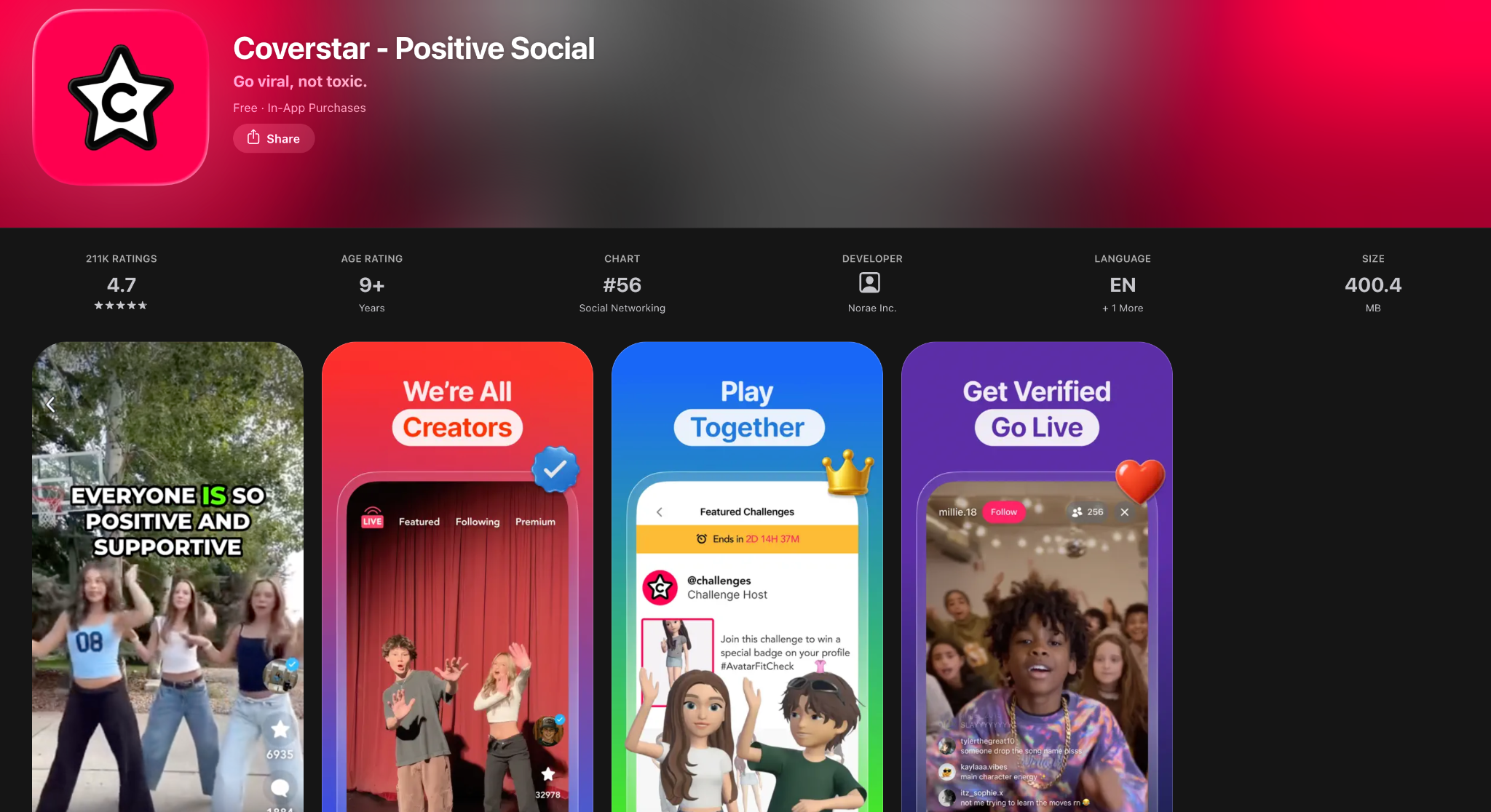
Coverstar is a short-form video app built specifically for kids and tweens, roughly ages 9–16. Think TikTok's scrolling, music, and video-editing DNA, but built from the ground up with a younger audience in mind.
Coverstar describes itself as a free, moderated social video app for kids and teens, with AI and human teams working to protect the community and no direct messaging feature at all. It's essentially a "KidzBop" version of TikTok; when you scroll through it, you're mostly seeing tween girls dancing, silly videos, and general kid content. In our testing, we also found some disturbing content (read below).
The mechanics will feel familiar to anyone who's used TikTok. Kids create, share, and watch short videos, adding music, sound effects, voice-overs, and filters, and can join viral challenges and trends.
There is less mature content on Coverstar than on other social media platforms. But again, “less” doesn’t mean “none.” We still found content that can be harmful for kids. Even if it’s not as egregious as what’s available on Reddit, TikTok, Instagram, X (Twitter), Snapchat, or other apps, it doesn’t mean that Coverstar is safe for your kid to explore without supervision.
Parental Permission and Limited Mode
We created a test account on Coverstar as an 11-year-old boy. Upon creating the account, we were immediately prompted to get “parent permission” to “unlock full access.” However, we had the option to “skip for now” which put our account in “Limited Mode.” This prevents our account from being public, changing any settings, commenting on posts (not livestreams!), and posting content.
All accounts are set to private by default. For those who unlock full access with parent permission, you can make your account public.
To grant parent permission, you must either pay $0.99 or take a live video showing an adult and a child. Neither method proves you are the child’s parent, or that you even have a child.
So, we first tested the app without getting parental permission. And here’s what we found.
Unfiltered Search and Inappropriate Content on Coverstar
Using our test account in “Limited Mode” (aged as an 11-year-old boy), we found a surprising amount of harmful content. Parents, the big deal here is that Coverstar doesn’t seem to block ANY search terms. Even though Coverstar
For example, we were able to search for the word “porn” and it populated results. Now, it only populated two posts with “#porn” on them; both were unrelated memes. We didn’t find anything sexually explicit or pornographic (thank goodness). However, one of those posts had a comment from a kid asking, “Why does it say the word *orn?” Coverstar unfortunately exposed a child to this word. For a social media platform marketed for children, it’s extremely disappointing to witness such thoughtless safeguards.
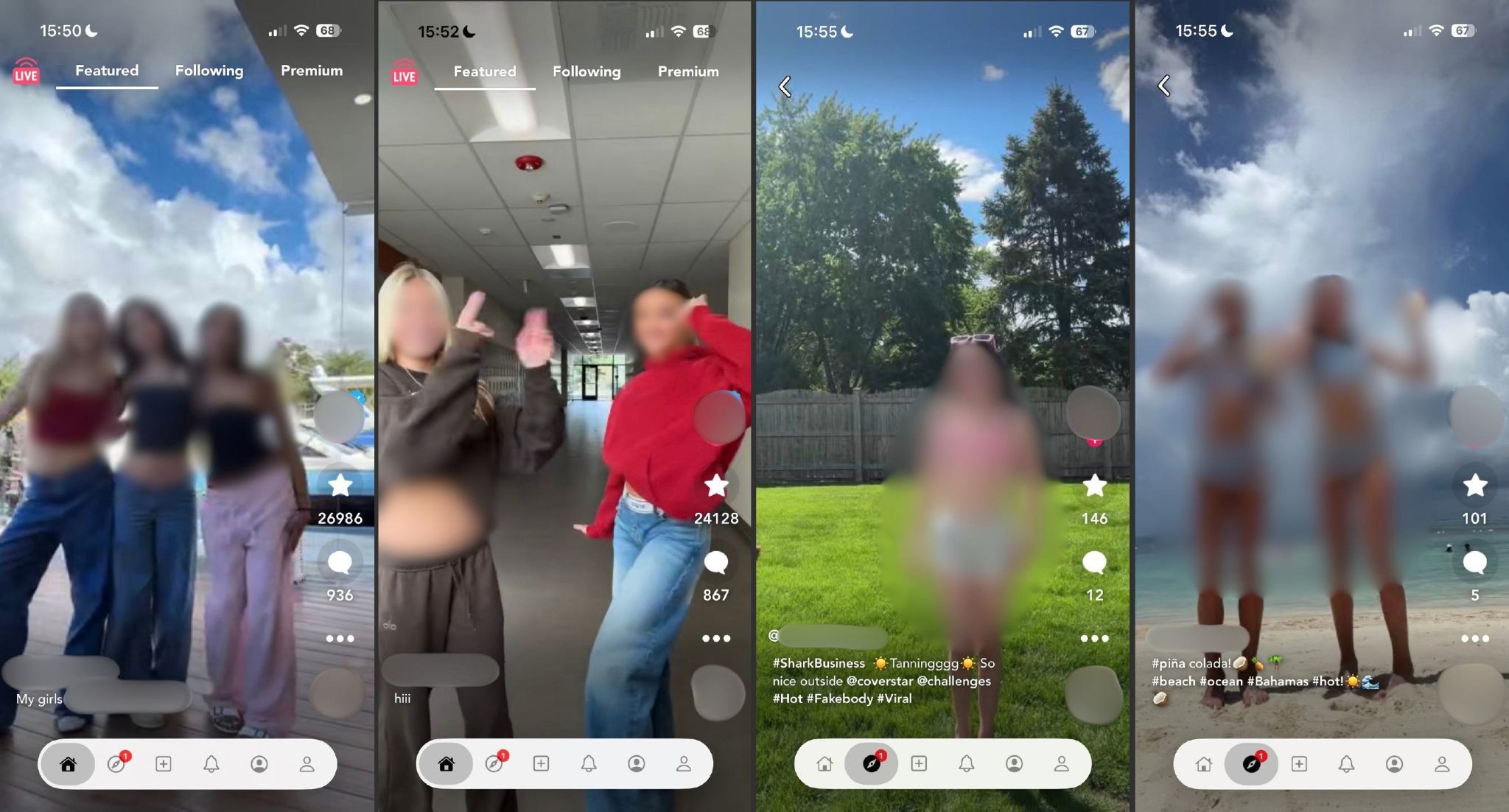
We didn’t stop there; if it allowed us to search for porn, what else could we search for? We found content and many posts after searching the words sex, sexy, suicide, depression, anxiety, “I hate my life,” “I hate school,” #lonely, violence, M-Rated violent video games (by searching “Call of Duty”), #schoolshootings, eating disorders, abuse, sexual abuse (#sa), and self-harm. Mainstream social media platforms often block some of these terms. But not Coverstar. Within minutes after creating an account, we were scrolling through posts of kids dealing with heavy emotions, abuse, suicidal thoughts, violence, self-harm, hate, and we even came across the word porn.
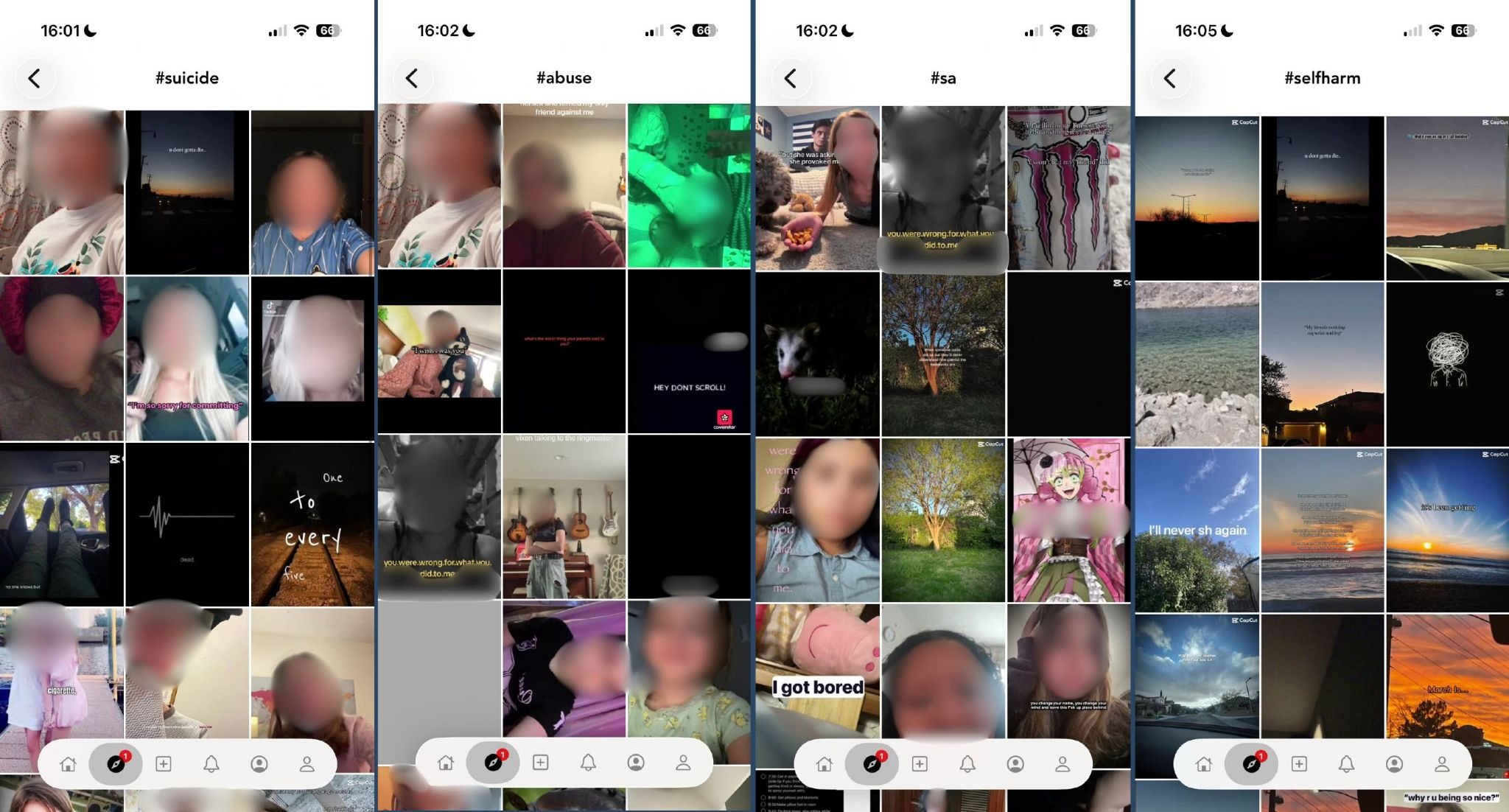
Many of the posts also had music and sounds that contained swear words. Even if the visual content wasn’t harmful, some of the language often was.
On top of this, there is no search history. After all of this activity, our search bar was completely empty when tapping on it. If we were an actual child and our parent came in to check things later, they would have no idea about the kind of content we searched for and found.
Are there Predators on Covestar?
Thankfully, there are no direct messages within Coverstar, even for accounts that have parent permission, which is great and significantly reduces the exposure to predators. But wherever kids are, predators are there too. One feature that might especially attract them is the livestreaming Coverstar offers. Livestreaming apps like Twitch have often had problems with mature content, predator activity, and the general risk of hosting live content.
Livestreaming on Coverstar
Even as a well-intentioned adult testing the app for safety, it still felt creepy swiping through livestreams of children on their own devices. Some hanging out with friends, some doing makeup in the bathroom, some just talking to the chat. And even in Limited Mode, users can comment on livestreams. The app warns users not to bully or post sexual comments, because you can get banned from app or face legal charges, but there is nothing actually preventing a brand new account from interacting in livestreams.
To be clear, we didn’t find any direct evidence of predator activity on Coverstar, but based on how predators navigate digital spaces, it’s more than likely. And if your kid is making content, you should consider predator activity to be a real possibility.
Coverstar Currency - Starcoins
For users who have been given parental permission, there are “starcoins” you can buy, up to $99.99 in one transaction. These coins can be spent to gift livestreamers and purchase accessories for your avatar. Parents, be aware of this!
Avatars on Coverstar
This is another feature for accounts that have been given parental permission. It’s similar to Bitmoji, where you can create a custom avatar, and you can create content with it. It’s pretty harmless, but accessories can cost money.
Privacy on Coverstar
All accounts are set to private by default. For those who unlock full access with parent permission, you can make your account public.
Even if everything is monitored and your child never comes across any harmful content. There’s still a question about what Coverstar knows about you, your kids, and the data they collect from your child’s activity, posts, comments, the device they use, how you registered (via social media), etc.
Here are some relevant bullet points from Coverstar’s Privacy Policy as of September 2026 (their privacy policy was last updated January 1, 2025):
What Information Does Coverstar Collect?
When and With Whom Does Coverstar Share Your Information?
Personal Data of Children:
How Long Does Coverstar Keep Your Information?
How Long Does Coverstar Retain Your Data?
How Can You Review, Update, Or Delete the Data Coverstar Collects From You?
Are there Parental Controls on Coverstar?
No. By granting parental permission, you are simply opening the app up to more features, and legally allowing Coverstar to collect more data from your child. If anything, the app gets riskier after giving parental permission.
There are no meaningful controls or content settings in the app itself.
Compared to other mainstream apps, Coverstar is technically safer. Compared to other apps made specifically for kids, this app falls short. The biggest positive Coverstar has going for it is that there are no DMs. But, without any safeguards on search terms, no search history, and no parental controls, this app is simply isn’t worth it. It’s social media!
In our opinion, kids under 13 shouldn’t be active on social media anyways, so the entire idea here isn’t something we believe is healthy for adolescence.
¡Dos acciones que puedes tomar!


Lea sobre el compromiso de nuestro equipo de proporcionar a todos los usuarios de nuestra plataforma global la tecnología que puede ayudarlos a avanzar.
Es un honor unirme a Bark y a otros increíbles defensores en esta película.
Se unió a una coalición de expertos mundiales para presentar sobre los daños de las redes sociales.
Compartimos nuestra investigación y experiencia con el Comité Judicial del Senado de los Estados Unidos.