Empieza aquí
Acerca de
Hablando
Contáctenos
Únete a la mesa
Curso para padres
Recursos
Spanish
Order my debut book! - 5 Habits of the Tech-Ready Family 📑


Okay, moms and dads - Meta did it again.
Just when you finally figured out Instagram Stories, Reels, and Close Friends lists, Instagram dropped a brand-new feature and app on May 13, 2026, called Instants. And if your kid is on Instagram, you need to know what this is today.
Here's the good news: you can turn it off. We'll get there in just a minute. But first, let me explain what we're dealing with because the details matter.
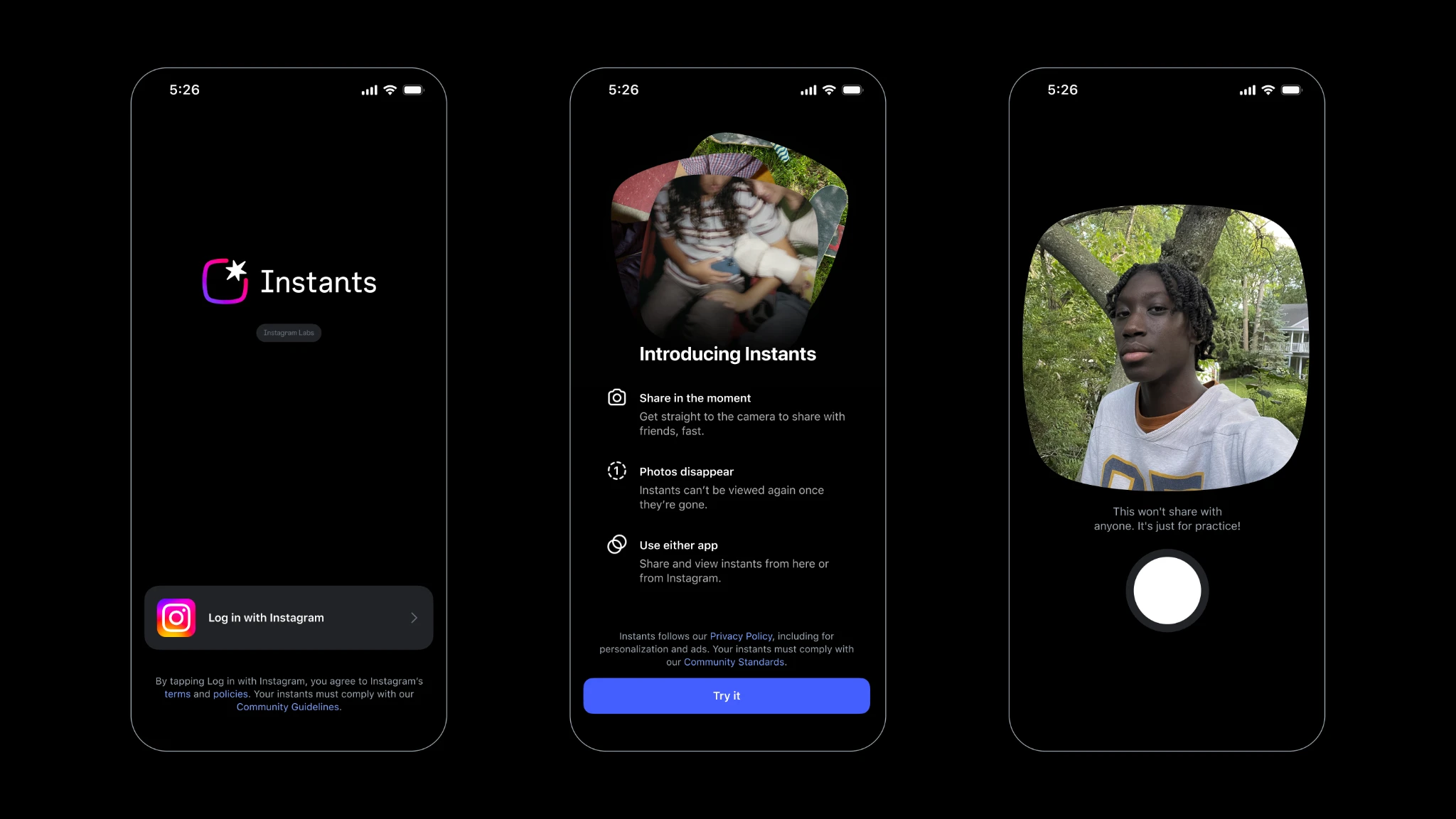
Instagram describes Instants as "a new way to share in the moment, with spontaneous, unfiltered photos, with friends." Think of it like Snapchat built directly into Instagram's inbox. While also being available as its own separate app. On Instagram, when your child taps a little photo stack icon in the bottom-right corner of their DM inbox, they're immediately dropped into a camera. They take a photo, and that photo disappears after the recipient views it.
.webp)
No edits. No filters. No review. Just a raw, real-time snapshot, gone after it's seen.
Here's where it gets tricky for families: the photo is automatically sent to everyone on your child's Friends list unless they manually switch it to "Close Friends" beforehand. This is also how it works in the Instants app. That's a big deal. Most kids won't notice that toggle, and one accidental tap of the shutter button means a photo has already been broadcast to dozens, or hundreds, of people. Instagram does offer a brief "undo" button right after sending, but it's easy to miss in the chaos of the moment, especially for a 13-year-old who's just realized they accidentally sent something embarrassing to their entire follower list.
Sound familiar? It should. This is the exact same design pattern that got Snapchat into so much trouble years ago, the illusion of privacy wrapped around a feature that, in practice, spreads content faster than kids expect.
Disappearing content features have a well-documented dark side. When kids believe a photo will vanish, they're more likely to share things they wouldn't otherwise post publicly. That false sense of security is a problem. And while Instagram does block screenshots and screen recordings of Instants, which is genuinely a good step, screenshots aren't the only risk. Other devices exist. Other people are in the room. Content shared impulsively isn't always content shared wisely.
There's also a subtle pressure mechanic baked into Instants. Your friends can "react, reply, and send an Instant back," which creates a reciprocal sharing loop. For teens who already struggle with social pressure and FOMO (fear of missing out), this kind of back-and-forth dynamic can feed anxiety rather than relieve it.
One more thing worth noting: Instants are stored in a private archive for up to one year and can even be compiled into a recap and reposted to Stories. So "disappearing" isn't quite as absolute as Meta would have you believe.
If your teen is on a supervised Instagram Teen Account, some protections apply automatically. Parental supervision settings, including shared time limits and Sleep Mode between 10 PM and 7 AM, carry over to Instants. If your teen downloads the standalone Instants app (yes, there's a separate app too), you'll receive a notification. That's worth paying attention to.
But here's my honest take: these built-in guardrails don't replace a parent who is actively engaged. They're a floor, not a ceiling.
Ready to disable this? Here's exactly what to do:
That's it. Once that toggle is enabled, Instants will disappear from your child's inbox completely; they won't see the feature, and they won't receive any Instants that others send them.
However, even with these settings changed on Instagram, your child can still download and use the new “Instants” app. More on that below
If you're not ready to fully disable it but want to pump the brakes temporarily, your child can press and hold the Instants photo stack in their inbox and swipe right to pause receiving Instants for a while.
And if an Instant has already been sent by mistake? Tap the archive icon (the four-box icon in the top-right corner of the camera view), find the Instant, and delete it to unsend it, but only if the recipient hasn't opened it yet.
Apart from this feature within Instagram, they also launched a separate Instants app, which uses your Instagram login credentials.
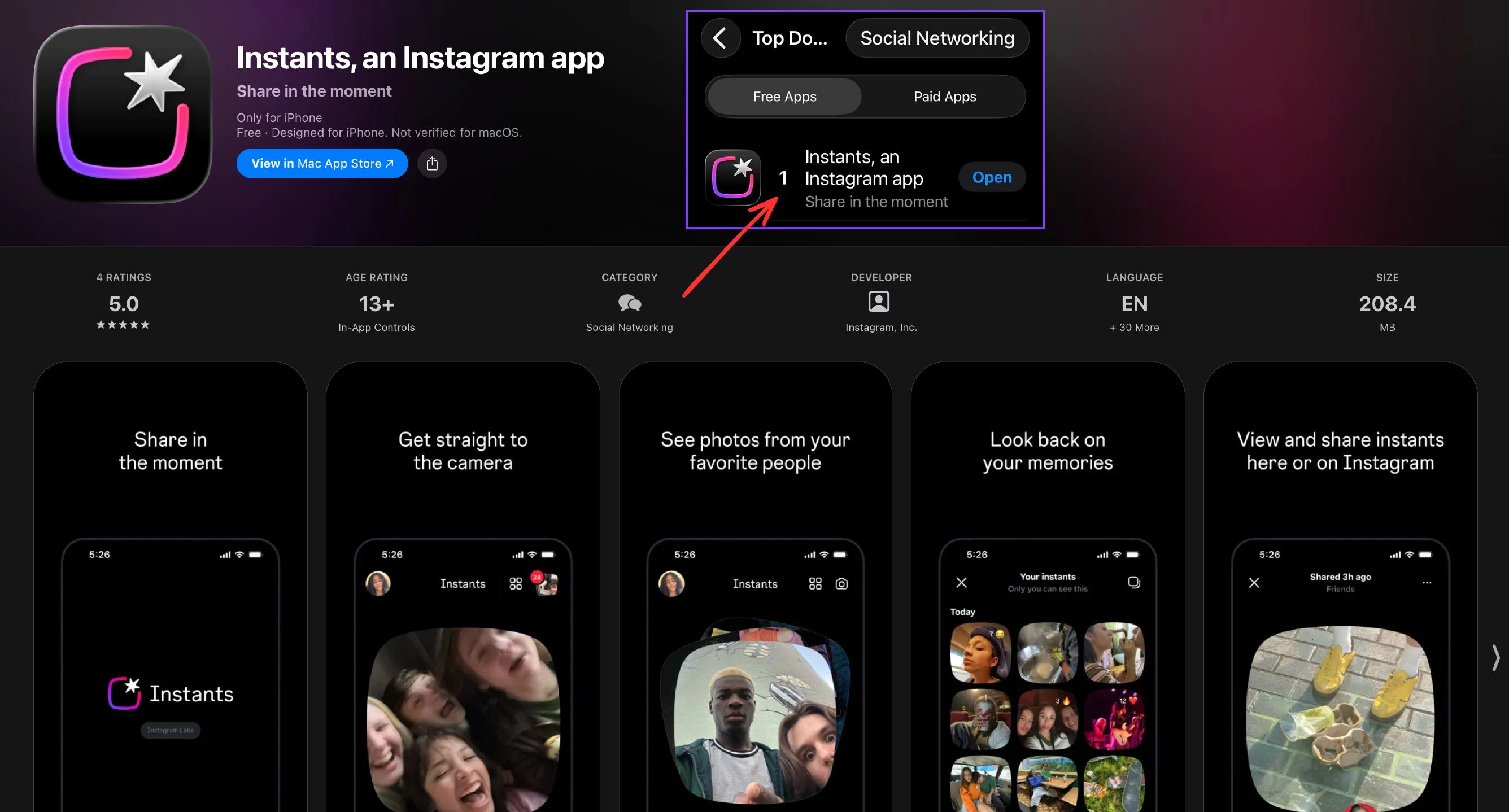
Unfortunately, even if you’ve turned Instants off in the Instagram app, you can still send them in the separate Instants app! Unreal. Now, Instagram might respond by saying, “Chris, not my problem, it’s up to parents to control the App Store,” but since Instants and Instagram are both rated the same in the app stores, it even circumvents many of Apple’s and Google’s App Store controls. This is truly a “shaking our head” moment.
The best way to control Instants is by controlling the app store. Here’s how to require approval for app downloads on iPhones and iPads, and here’s how for Android devices.
Before you go update any settings, I want to encourage you to do something even more important: talk to your kid about this first.
Ask them: "Have you seen this new Instants thing on Instagram? What do you think about it?" Let them explain it to you. That conversation, that moment of connection, is worth more than any parental control we could ever recommend.
Then, together, go into the settings. Let them see what you're doing and why. Explain that disappearing photos still carry real consequences. Remind them that anything sent to another person's screen, however briefly, is outside of their control the moment it leaves their phone.
That's a lesson that will serve them far beyond Instagram.
At Protect Young Eyes, we're committed to helping families navigate the ever-changing digital landscape with clarity and confidence. Have questions? Reach out, we're always here to help.

¡Dos acciones que puedes tomar!

Lea sobre el compromiso de nuestro equipo de proporcionar a todos los usuarios de nuestra plataforma global la tecnología que puede ayudarlos a avanzar.
Es un honor unirme a Bark y a otros increíbles defensores en esta película.
Se unió a una coalición de expertos mundiales para presentar sobre los daños de las redes sociales.
Compartimos nuestra investigación y experiencia con el Comité Judicial del Senado de los Estados Unidos.